Plot a colocalization heatmap
ColocalizationHeatmap.RdHeatmap of a summary statistic between marker pairs (e.g. DCA from
RunDCA).
Usage
ColocalizationHeatmap(
  data,
  marker1_col = "marker_1",
  marker2_col = "marker_2",
  value_col = "estimate",
  size_col = "p_adj",
  size_col_transform = NULL,
  size_range = c(0.1, 3),
  colors = c("#053061", "#2166AC", "#4393C3", "#92C5DE", "#D1E5F0", "#F7F7F7", "#FDDBC7",
    "#F4A582", "#D6604D", "#B2182B", "#67001F"),
  cluster_rows = TRUE,
  cluster_cols = TRUE,
  clustering_distance_rows = "euclidean",
  clustering_distance_cols = "euclidean",
  clustering_method = "complete",
  type = c("tiles", "dots"),
  return_plot_data = FALSE,
  symmetrise = TRUE,
  legend_range = NULL,
  legend_title = "",
  highlight_pairs = NULL,
  highlight_colors = "black",
  highlight_color_col = NULL,
  highlight_stroke = 1.2,
  highlight_shrink = 0.1,
  ...
)
Arguments
- data
A
tbl_df- marker1_col
The name of the column with the first marker
- marker2_col
The name of the column with the second marker
- value_col
The name of the column with numeric values to plot, such as the estimate of a differential analysis test.
- size_col
The name of a column with numeric values to scale the dots by. This is only used when
type = "dots".- size_col_transform
A function to transform the values in
size_col. For instance, if the size_col values are p-values, you can use\(x) {-log10(x)}to transform them to a more interpretative scale. Note that the size legend label will be the value forsize_colwith a "_transformed" suffix. The label can be changed manually after plotting. See examples below.- size_range
A numeric vector of length 2 with dot size range.
- colors
A character vector with colors to create a color scale that the
value_colare mapped to.- cluster_rows, cluster_cols
A logical value indicating whether to cluster the rows and/or columns.
- clustering_distance_rows, clustering_distance_cols
The distance method to use for clustering rows and columns. Can be any method accepted by
dist.- clustering_method
The clustering method to use. Can be any method accepted by
hclust.- type
Plot type:
"tiles"for a filled-tile heatmap, or"dots"for a dot plot where size maps tosize_col. Dot plots return aggplotobject.- return_plot_data
Return data formatted for plotting instead of drawing the heatmap.
- symmetrise
Set to
TRUEif only the lower or upper triangle of marker combinations exist indata, each row will then be mirrored to fill the missing triangle of the heatmap.- legend_range
A numeric vector of length 2 with the range of the legend. If NULL, the range is set to the maximum absolute value of the data. If a value is outside this range, it is set to the closest legend range limit.
- legend_title
The title of the legend
- highlight_pairs
Optional
tbl_df/data.frame with columnsmarker_1andmarker_2naming pairs to outline with a cell border. Pairs whose markers are absent fromdataare ignored.NULLdisables highlighting. May also carry a column named byhighlight_color_colwhen mapping border colours fortype = "dots".- highlight_colors
Border colour(s) for highlighted cells. Single colour when
highlight_color_colisNULL(default"black"; tiles and dots). Withhighlight_color_col(type = "dots"only): a named vector for discrete values, or two or more colours for numeric values.- highlight_color_col
Column in
highlight_pairsused to colour borders (type = "dots"only; errors with"tiles").NULL(default) draws a constant border colour.- highlight_stroke
Border line width for highlighted cells.
- highlight_shrink
Fraction by which to reduce the width and height of highlighted cell borders. Must be at least 0 and less than 1. The default
0.1leaves a small gap between adjacent highlights;0uses the full cell size.- ...
Parameters passed to
pheatmap
Input
The input data should be a tbl_df object with at least these three columns:
A column with the first marker name.
A column with the second marker name.
A column with the numeric value to plot, such as the estimate of a differential analysis test or colocalization scores.
Each marker pair can only appear once in the data. This means that if you ran the test across multiple groups, you need to subset the data first.
Examples
library(pixelatorR)
library(dplyr)
library(ggplot2)
# Create a table with artificial DCA results
# for the example
set.seed(123)
dca_markers <- tidyr::expand_grid(
marker_1 = paste0("M", 1:10),
marker_2 = paste0("M", 1:10)
) %>%
filter(marker_1 > marker_2) %>%
mutate(estimate = rnorm(n(), 0, 1), p_adj = 10^(-rnorm(n(), 3, 2)))
dca_markers
#> # A tibble: 45 × 4
#> marker_1 marker_2 estimate p_adj
#> <chr> <chr> <dbl> <dbl>
#> 1 M2 M1 -0.560 0.176
#> 2 M2 M10 -0.230 0.00639
#> 3 M3 M1 1.56 0.00858
#> 4 M3 M2 0.0705 0.0000275
#> 5 M3 M10 0.129 0.00147
#> 6 M4 M1 1.72 0.000311
#> 7 M4 M2 0.461 0.00114
#> 8 M4 M3 -1.27 0.00122
#> 9 M4 M10 -0.687 0.00000183
#> 10 M5 M1 -0.446 0.00283
#> # ℹ 35 more rows
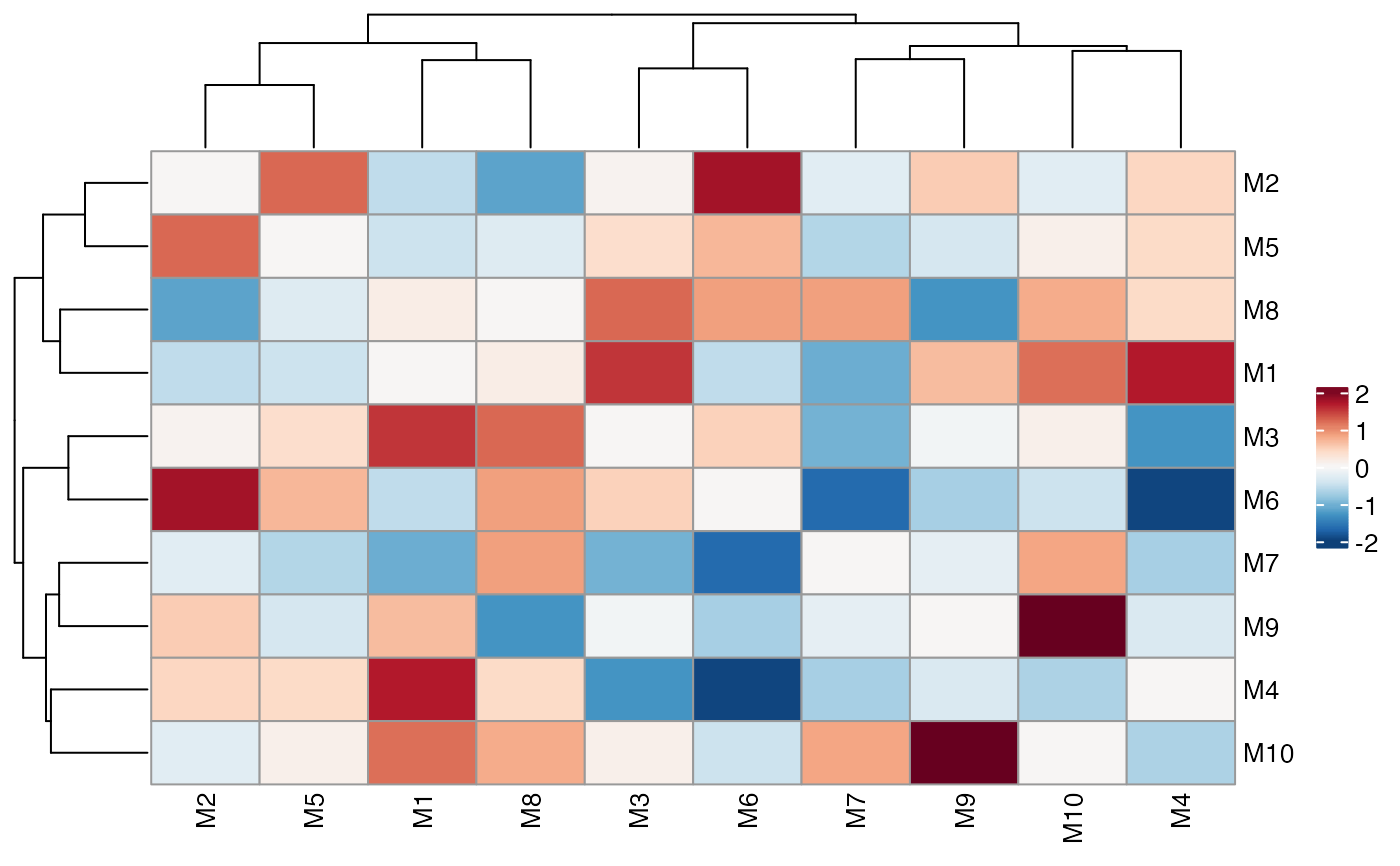
# Typical heatmap
ColocalizationHeatmap(dca_markers)
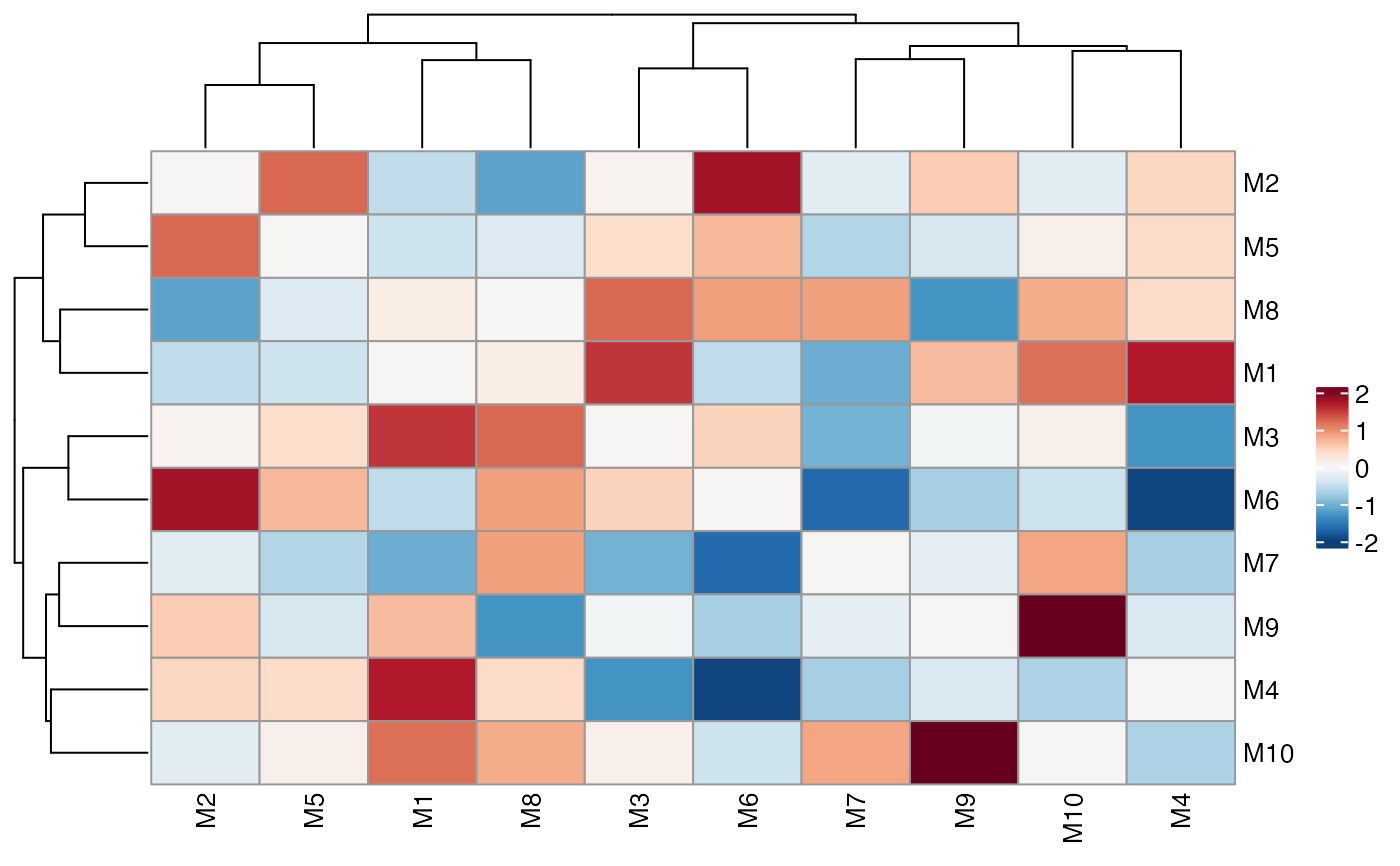 # Skip symmetrisation
ColocalizationHeatmap(dca_markers, symmetrise = FALSE)
# Skip symmetrisation
ColocalizationHeatmap(dca_markers, symmetrise = FALSE)
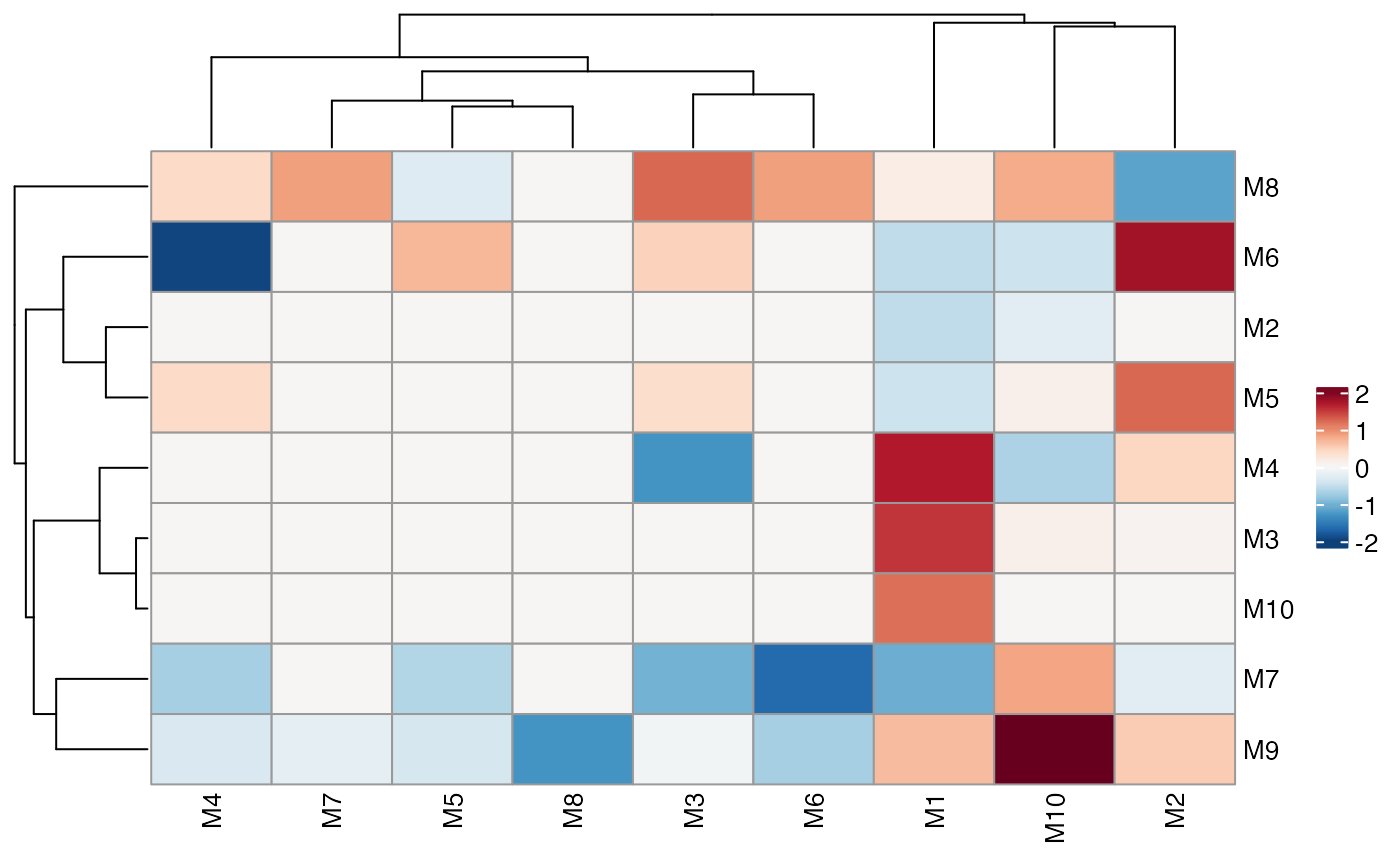 # Typical dot plot
# Note that the size legend title needs to be set manually
ColocalizationHeatmap(
dca_markers,
type = "dots",
size_range = c(1, 10),
size_col_transform = \(x) {
-log10(x)
}
) &
labs(size = "-log10p(p_adj)")
# Typical dot plot
# Note that the size legend title needs to be set manually
ColocalizationHeatmap(
dca_markers,
type = "dots",
size_range = c(1, 10),
size_col_transform = \(x) {
-log10(x)
}
) &
labs(size = "-log10p(p_adj)")
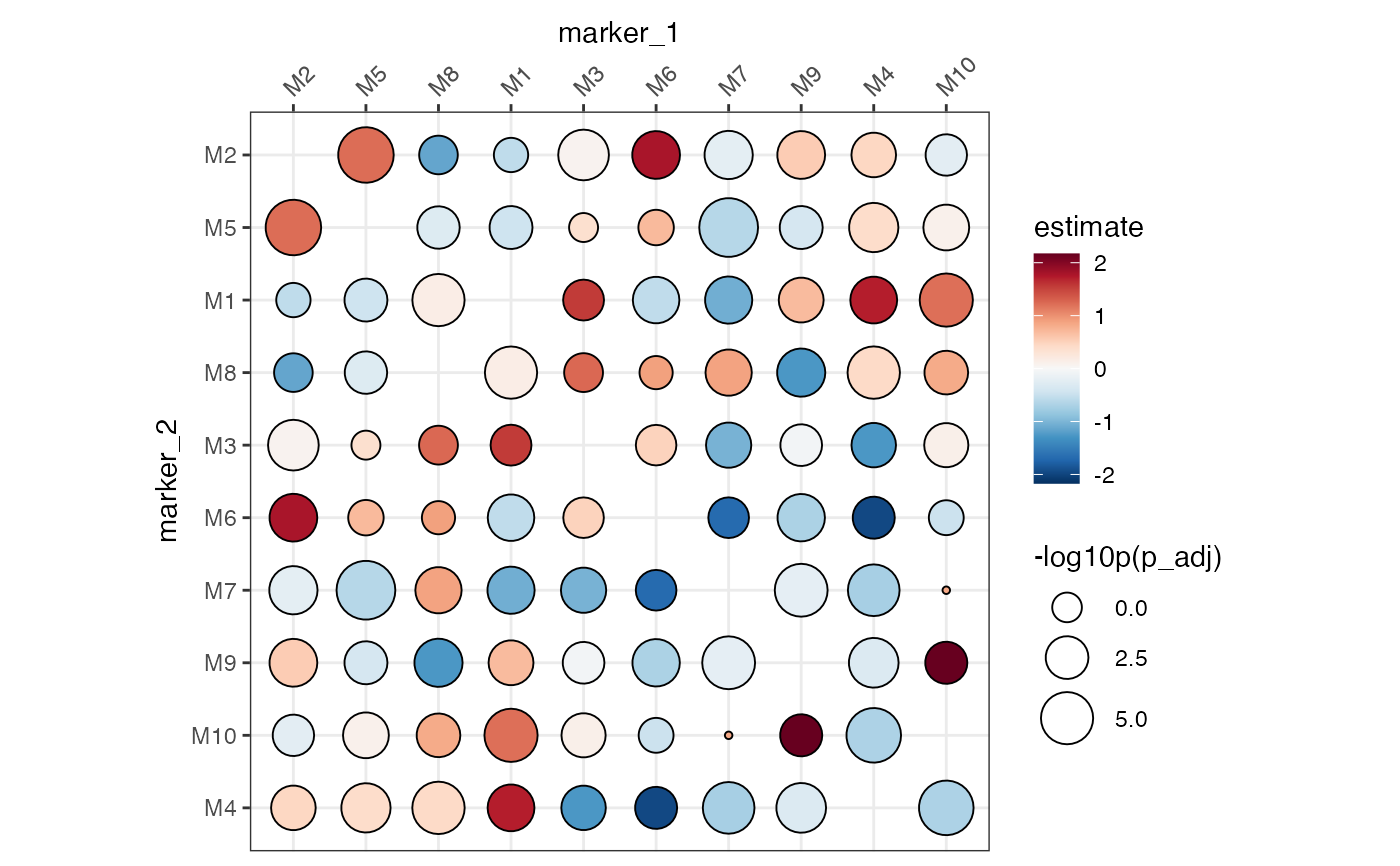 # Outline selected marker pairs (constant colour)
ColocalizationHeatmap(
dca_markers,
type = "dots",
size_range = c(1, 10),
highlight_pairs = tibble(
marker_1 = c("M1", "M3"),
marker_2 = c("M2", "M5")
),
highlight_colors = "black"
)
# Outline selected marker pairs (constant colour)
ColocalizationHeatmap(
dca_markers,
type = "dots",
size_range = c(1, 10),
highlight_pairs = tibble(
marker_1 = c("M1", "M3"),
marker_2 = c("M2", "M5")
),
highlight_colors = "black"
)
 # Map border colours from a column in highlight_pairs (dots only)
ColocalizationHeatmap(
dca_markers,
type = "dots",
size_range = c(1, 10),
highlight_pairs = tibble(
marker_1 = c("M1", "M3"),
marker_2 = c("M2", "M5"),
database = c("string", "alphafold")
),
highlight_color_col = "database",
highlight_colors = c(string = "#C0392B", alphafold = "#6C3483"),
highlight_shrink = 0.15
)
# Map border colours from a column in highlight_pairs (dots only)
ColocalizationHeatmap(
dca_markers,
type = "dots",
size_range = c(1, 10),
highlight_pairs = tibble(
marker_1 = c("M1", "M3"),
marker_2 = c("M2", "M5"),
database = c("string", "alphafold")
),
highlight_color_col = "database",
highlight_colors = c(string = "#C0392B", alphafold = "#6C3483"),
highlight_shrink = 0.15
)
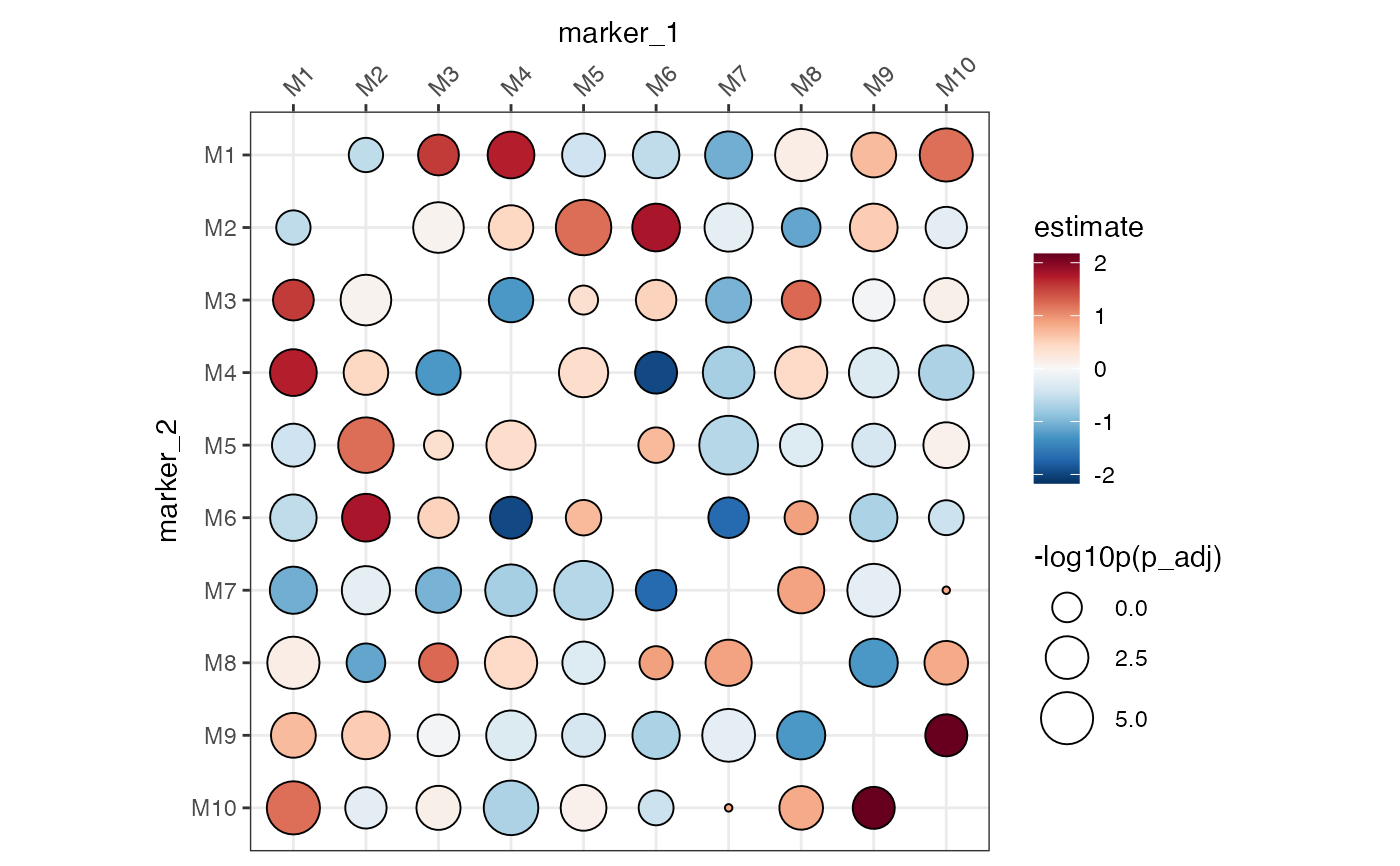
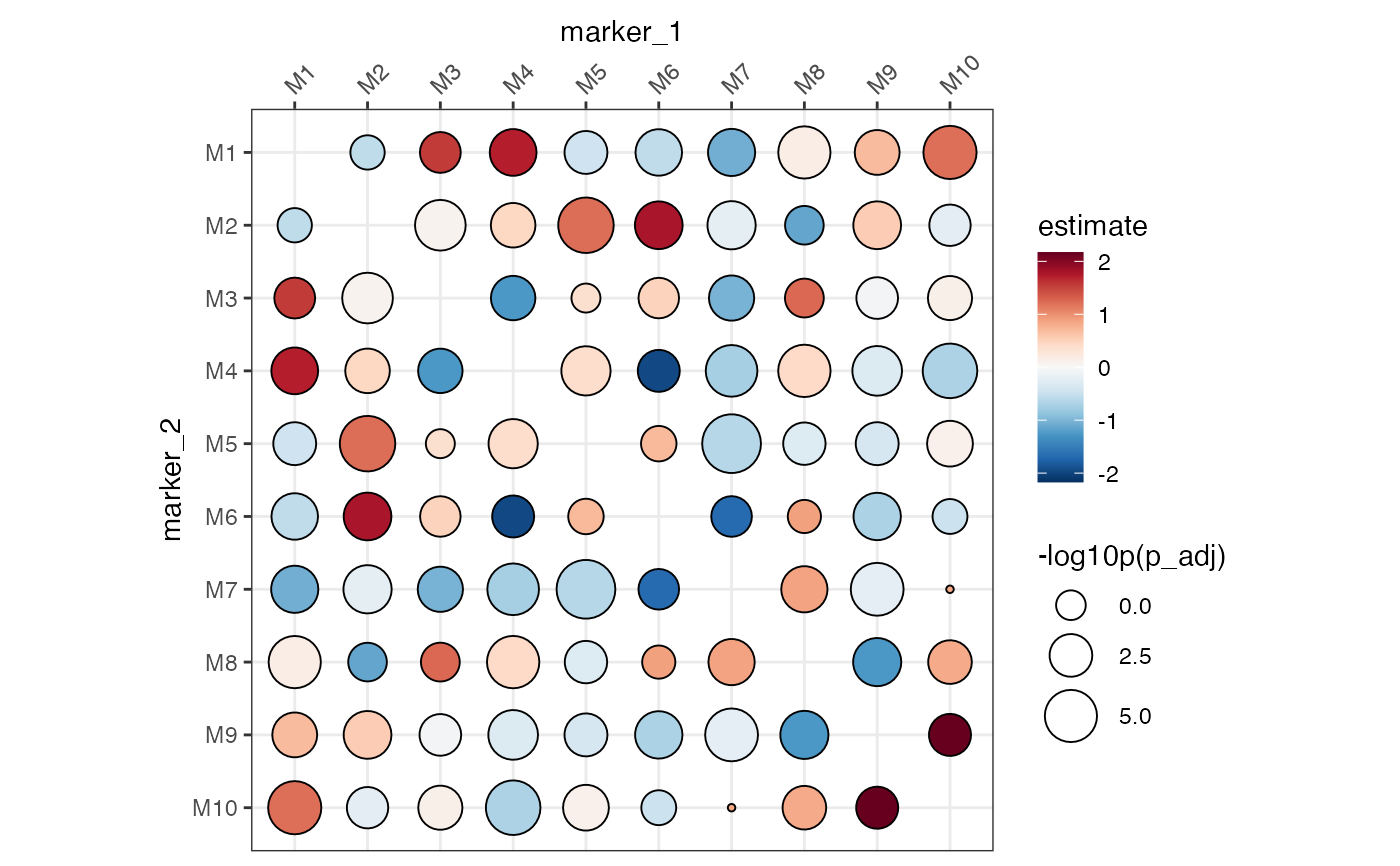
 # We can specify the order of the markers with factor levels
# but we need to turn off the clustering
ColocalizationHeatmap(
dca_markers %>%
mutate(
marker_1 = factor(marker_1, levels = paste0("M", 1:10)),
marker_2 = factor(marker_2, levels = paste0("M", 1:10))
),
type = "dots",
size_range = c(1, 10),
size_col_transform = \(x) {
-log10(x)
},
cluster_rows = FALSE,
cluster_cols = FALSE
) &
labs(size = "-log10p(p_adj)")
# We can specify the order of the markers with factor levels
# but we need to turn off the clustering
ColocalizationHeatmap(
dca_markers %>%
mutate(
marker_1 = factor(marker_1, levels = paste0("M", 1:10)),
marker_2 = factor(marker_2, levels = paste0("M", 1:10))
),
type = "dots",
size_range = c(1, 10),
size_col_transform = \(x) {
-log10(x)
},
cluster_rows = FALSE,
cluster_cols = FALSE
) &
labs(size = "-log10p(p_adj)")
 # If there are multiple comparisons per marker pair, we need to subset
# the data first
dca_markers_two_tests <- bind_rows(
dca_markers %>% mutate(refrence = "ctrl", target = "stim1"),
dca_markers %>% mutate(refrence = "ctrl", target = "stim2")
)
dca_markers_two_tests
#> # A tibble: 90 × 6
#> marker_1 marker_2 estimate p_adj refrence target
#> <chr> <chr> <dbl> <dbl> <chr> <chr>
#> 1 M2 M1 -0.560 0.176 ctrl stim1
#> 2 M2 M10 -0.230 0.00639 ctrl stim1
#> 3 M3 M1 1.56 0.00858 ctrl stim1
#> 4 M3 M2 0.0705 0.0000275 ctrl stim1
#> 5 M3 M10 0.129 0.00147 ctrl stim1
#> 6 M4 M1 1.72 0.000311 ctrl stim1
#> 7 M4 M2 0.461 0.00114 ctrl stim1
#> 8 M4 M3 -1.27 0.00122 ctrl stim1
#> 9 M4 M10 -0.687 0.00000183 ctrl stim1
#> 10 M5 M1 -0.446 0.00283 ctrl stim1
#> # ℹ 80 more rows
# This will now fail
if (FALSE) { # \dontrun{
ColocalizationHeatmap(dca_markers_two_tests)
} # }
# We need to subset the data first
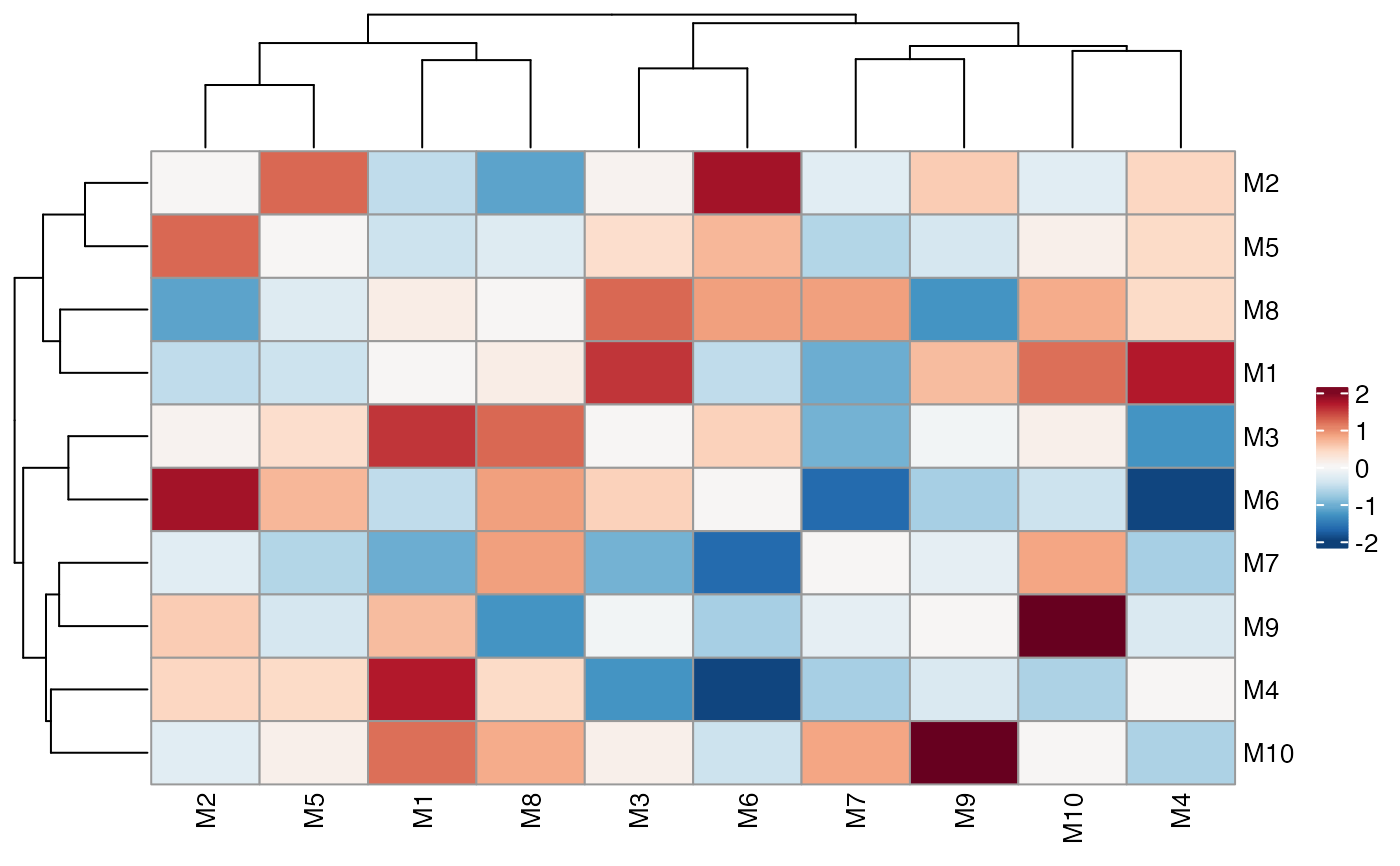
ColocalizationHeatmap(
dca_markers_two_tests %>%
filter(target == "stim1")
)
# If there are multiple comparisons per marker pair, we need to subset
# the data first
dca_markers_two_tests <- bind_rows(
dca_markers %>% mutate(refrence = "ctrl", target = "stim1"),
dca_markers %>% mutate(refrence = "ctrl", target = "stim2")
)
dca_markers_two_tests
#> # A tibble: 90 × 6
#> marker_1 marker_2 estimate p_adj refrence target
#> <chr> <chr> <dbl> <dbl> <chr> <chr>
#> 1 M2 M1 -0.560 0.176 ctrl stim1
#> 2 M2 M10 -0.230 0.00639 ctrl stim1
#> 3 M3 M1 1.56 0.00858 ctrl stim1
#> 4 M3 M2 0.0705 0.0000275 ctrl stim1
#> 5 M3 M10 0.129 0.00147 ctrl stim1
#> 6 M4 M1 1.72 0.000311 ctrl stim1
#> 7 M4 M2 0.461 0.00114 ctrl stim1
#> 8 M4 M3 -1.27 0.00122 ctrl stim1
#> 9 M4 M10 -0.687 0.00000183 ctrl stim1
#> 10 M5 M1 -0.446 0.00283 ctrl stim1
#> # ℹ 80 more rows
# This will now fail
if (FALSE) { # \dontrun{
ColocalizationHeatmap(dca_markers_two_tests)
} # }
# We need to subset the data first
ColocalizationHeatmap(
dca_markers_two_tests %>%
filter(target == "stim1")
)